
Loading page…
Loading page…
Give your users a guided import UI with Diakrio Importer. Build a programmable data pipeline with Diakrio Converter SDK.
Start locally with the SDK. Add hosted services where available.
Your own file or a sample. No account needed.
Match incoming fields to the records your product expects.
The record your application receives
{
  "email": "ada@example.com",
  "fullName": "Ada",
  "age": 36
}Products
Diakrio Importer
What your users see
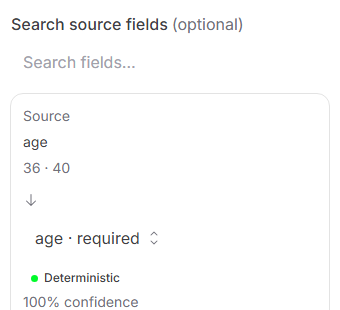
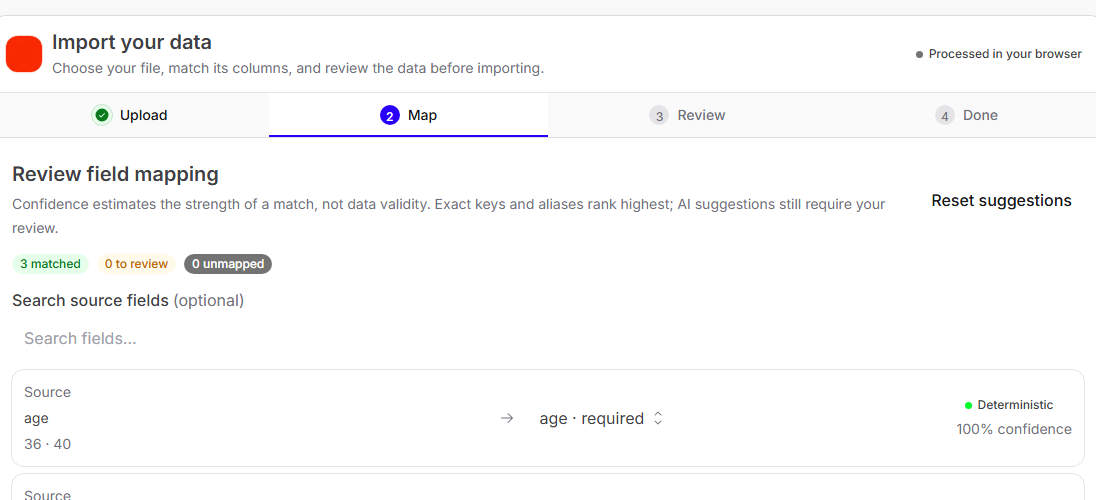
A ready-made import UI for your users to map, validate and correct their data.
Upload → Map → Validate → Fix → Deliver
Explore Importer →Diakrio Converter SDK
What you integrate
// @diakrio/converter
const job = processFile(file, {
  inputFormat: 'csv',
  onBatch: async rows => {
    console.log(rows);
  },
});
await job.done;
import { processFile } from
'@diakrio/converter/processing/browser';
const run = processFile(file, {
inputFormat: 'csv',
onBatch: async (rows) => console.log(rows),
onRejected: async (batch) => console.warn(batch.records),
});
await run.done;A standalone SDK for parsing, transforming and validating data in your pipeline.
Parse → Transform → Validate → Stream
Explore Converter SDK →One data import layer
Diakrio Converter SDK
Parse · Map · Validate · Stream
Diakrio Importer
The guided UI for your users
Validated records
Ready for your application
Starting with an image? Diakrio OCR extracts text and line locations from PNG and JPEG images. Connect that output to your own mapping workflow; automatic table reconstruction is not included.
Execution
Use Importer in the browser or Converter SDK in browser and server pipelines. The playground processes your source on this device, without an account.
Try with your file →Importer Cloud adds authorized sessions and signed delivery. General hosted Converter SDK execution is not available in this public playground.
Explore hosted availability →Built for real-world files
Inspect the synthetic 11.48 GB Apple Health XML benchmark, its recorded runtime and backend, or run smaller examples on your own device.
Use the detected structure or define the data you expect. Run the pipeline, inspect the output and take the integration code with you.
Try Diakrio →Runs locally in your browser. No account needed.